
- Streaming Products
- BD-DVD products
- Useful Articles
- support
Article Editor: Young leaves
Jan 01, 2026
Experience the best music converter now!
Share this article!


The Amazon Music app has a download feature, and if you subscribe to a paid plan, you can temporarily save songs for offline playback. However, downloaded Amazon Music songs are DRM-protected and can only be played within the official app; they cannot be transferred to other devices or external players. Also, if your paid plan expires, you will no longer be able to listen to Amazon Music songs you've already downloaded.
Converting and downloading Amazon Music songs to MP3 format can completely circumvent these playback restrictions. In this article, we'll introduce eight recommended free software programs that can convert songs from Amazon Music to MP3. We'll explain the advantages and disadvantages of each program in detail, so please use this as a reference.
Related Posts:
Amazon Music is a world-class music streaming service offering a huge selection of music and music videos. It offers download functionality for computers and smartphone apps to meet the needs of those who want to save data and enjoy music even in places with poor network connections. If you become a paid Amazon Music member, you can download your favorite songs to the app and play them offline. However, there are many restrictions on Amazon Music's download function, including:
Restrictions on how to download songs using the official Amazon Music app
To get around these restrictions, you need to convert Amazon Music songs to MP3 format and download them. By converting to MP3 format, you can download and enjoy your favorite songs freely without being bound by Amazon Music's playback restrictions, device restrictions, and storage expiration dates.
Benefits of Converting and Downloading Amazon Music to MP3
Next, we'll introduce eight recommended free software programs that can download and save songs from Amazon Music in MP3 format. We'll also provide detailed explanations of the features, advantages, and disadvantages of each MP3 conversion software. Use this information to help you choose the best tool for keeping your favorite music on hand.
List of free software for converting and downloading Amazon Music to MP3
"StreamByte for Music" is software that allows you to convert songs to MP3 format and download them to your computer in high quality at up to 320kbps, regardless of whether you have a paid Amazon Music plan or not. Downloaded Amazon Music can be downloaded to your computer.DRM protection removalThis allows you to play your music on other music players and transfer it to smartphones, tablets, and other devices without device restrictions. You can also enjoy your saved songs anytime, anywhere, even after canceling your Amazon Music subscription. This software also features batch conversion and ID3 tag editing/retention functions, allowing for efficient music download and management.
"StreamByte for Music" offers a free trial version, so please download it and take advantage of it.
StreamByte for Music
This is the perfect music converter for those who want to enjoy streaming music with the original sound quality. It supports multiple music platforms and allows you to save music while maintaining high sound quality.
Main functions and features of StreamByte for Music
Steps to convert and download Amazon Music to MP3 with StreamByte for Music
step 1,
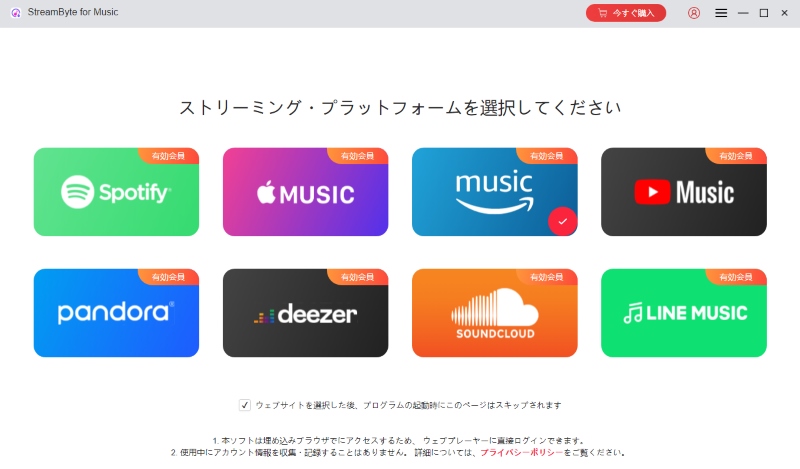
Download and install "StreamByte for Music" on your PC, then launch the software to access the built-in Amazon Music web player.
Step 2,
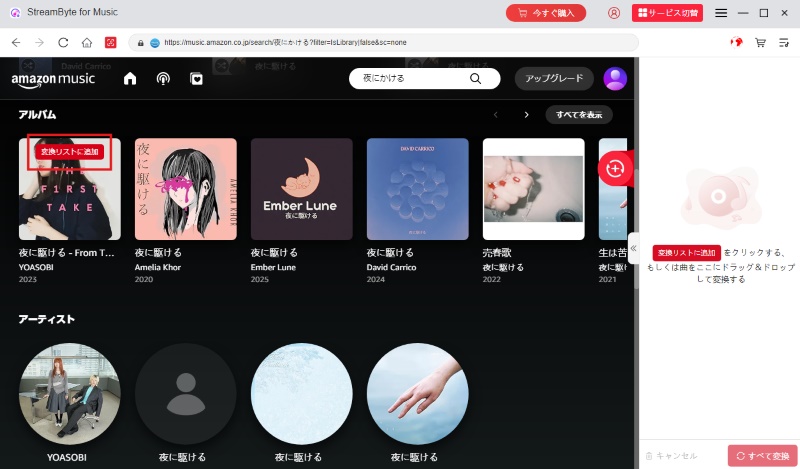
Log in to Amazon Music with your account, search for the music you want to download in MP3 format, and click "Add to Conversion List."
Step 3,
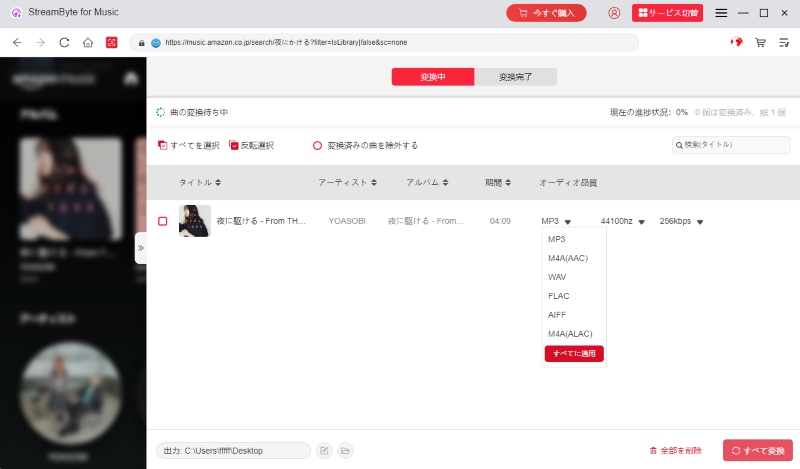
Select MP3 as the output format, and you can also choose output settings such as bit rate, sampling rate, and save directory according to your needs.
Step 4,
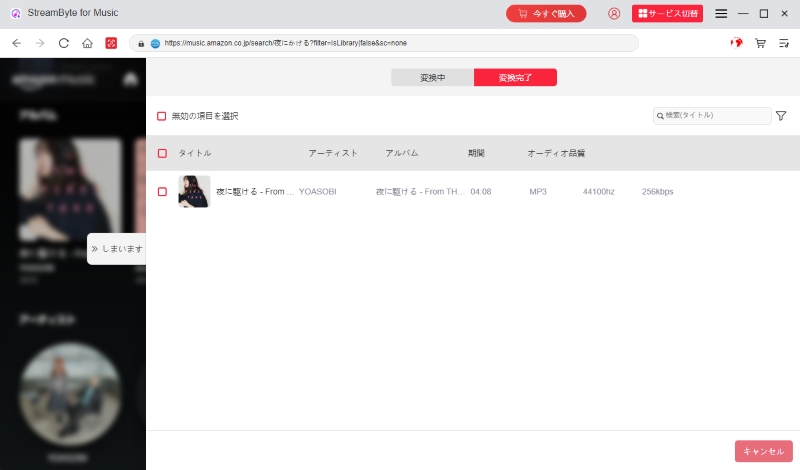
Select the Amazon Music songs you want to convert to MP3 from the conversion list and click "Convert All" to start downloading. You can check the progress of the Amazon Music to MP3 conversion on the conversion screen. You can view the history of converted songs by clicking "Conversion Complete" at the top of the software.
"StreamByte for MusicBy using this software, even free Amazon Music members can convert and download music to MP3 format with the simple steps above. Paid members can freely play, edit, and transfer songs saved with this software even after canceling Amazon Music. You can also set the songs as your smartphone's ringtone or alarm, or use them as background music for videos. In addition to Amazon Music, you can also use YouTube Music, Apple Music,Download Spotify music to MP3Download "StreamByte for Music" for free now and try converting Amazon Music to MP3.
100% safe and virus free
100% safe and virus free
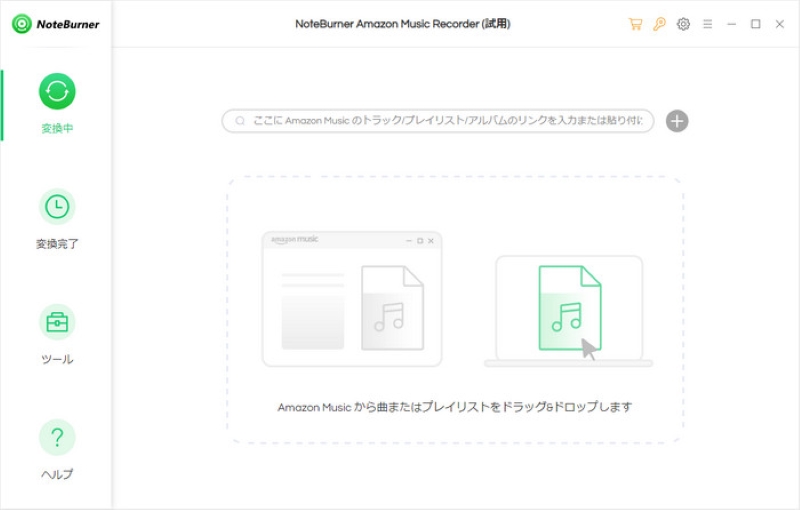
"NoteBurner Amazon Music Recorder" is a recording software specifically for Amazon Music that is compatible with both Windows and Mac. It can record music from Amazon Music and convert it to audio file formats such as MP3, AAC, WAV, and FLAC. This software achieves speeds up to 10x faster and preserves ID3 tags such as song title, artist name, and album information while downloading. It also features a batch download function that allows you to download multiple songs from Amazon Music at once.
Advantages:
Cons:
This software records Amazon Music and converts it to MP3, so it cannot maintain lossless sound quality. The sound quality may be degraded due to factors such as the network environment. Therefore, if you want to maintain the original high quality sound, we recommend using "Amazon Music Converter" which directly converts Amazon Music and allows you to download it at a maximum of 320kbps. StreamByte for MusicWe recommend using ".
100% safe and virus free
100% safe and virus free
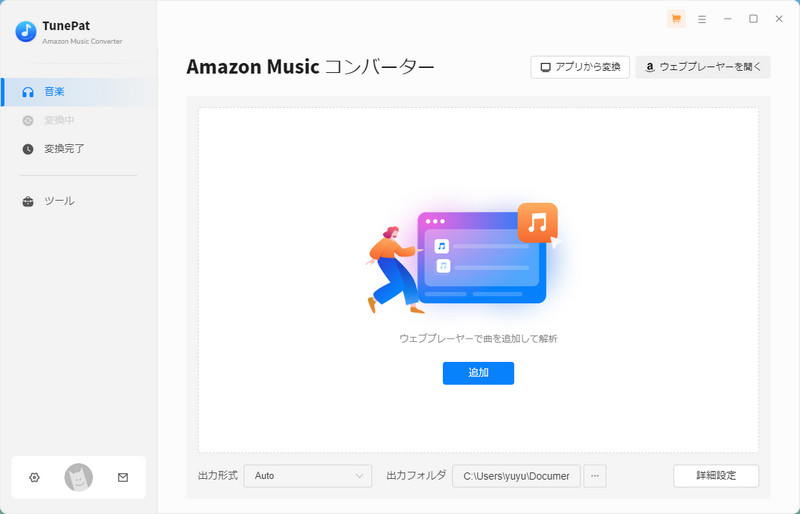
" TunePat Amazon Music Converter" is software that allows you to convert and download music to MP3 directly through the built-in web player without installing the Amazon Music app. In addition to MP3, it supports a variety of audio formats, including AAC, WAV, and FLAC. Downloaded Amazon Music songs can be saved at a maximum audio quality of 256 kbps, and ID3 tags such as song title, artist name, and album information are preserved.
Advantages:
Cons:
If you use "TunePat Amazon Music Converter", the sound quality of Amazon Music will be limited to a maximum of 256kbps. Also, errors may occur when downloading some songs. If you want higher quality and more stable downloads, please use " StreamByte for Music" is recommended. With this software, you can save Amazon Music in ultra-high quality up to 320kbps.
100% safe and virus free
100% safe and virus free
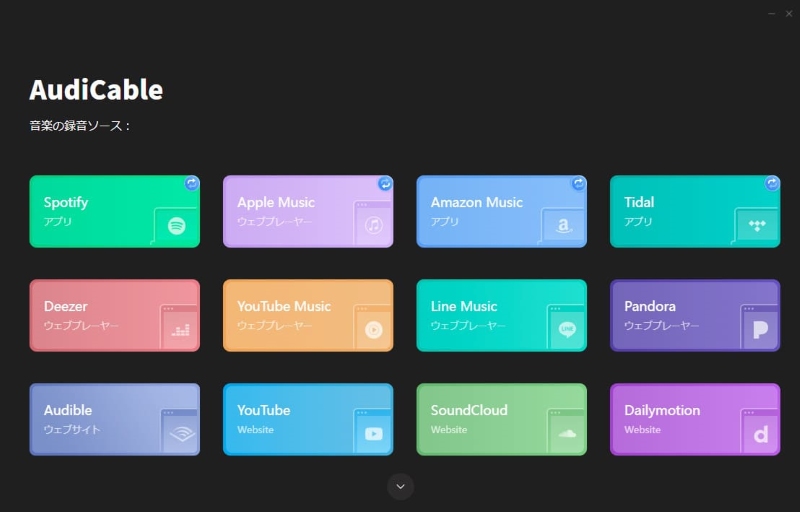
" AudiCable Streaming Music Recorder" is software that allows you to record music from popular music streaming services such as Amazon Music, Spotify, Apple Music, and YouTube Music and save it in MP3 format. This software is equipped with a proprietary driver that ensures high-quality and stable music downloads.
Advantages:
Cons:
"AudiCable" is compatible with many music streaming services, but because it is based on recording, it takes time to save multiple songs. For those who value efficiency, we recommend "AudiCable," which allows you to efficiently save Amazon Music with 35x faster conversion speeds and batch download functions.StreamByte for MusicWe recommend using ".
100% safe and virus free
100% safe and virus free
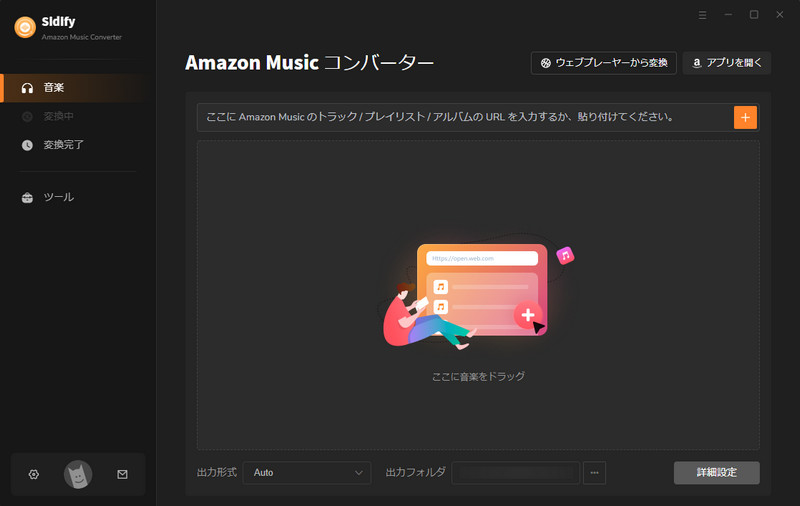
"Sidify Amazon Music Converter" is software that converts songs from Amazon Music to MP3 and imports them to your computer. It supports the conversion of songs, albums, and playlists distributed by Amazon Music Unlimited/Prime. It can output audio files in a variety of formats, including MP3, AAC, FLAC, and ALAC. It also preserves ID3 tag information, such as artist, album, and cover image, for converted songs.
Advantages:
Cons:
"Sidify Amazon Music Converter" uses a URL analysis method, so it does not have a built-in web player and requires the installation of the Amazon Music app.StreamByte for Music" has a built-in web player that is compatible with Amazon Music, allowing you to search and convert music directly within the software, making downloads more efficient.
100% safe and virus free
100% safe and virus free
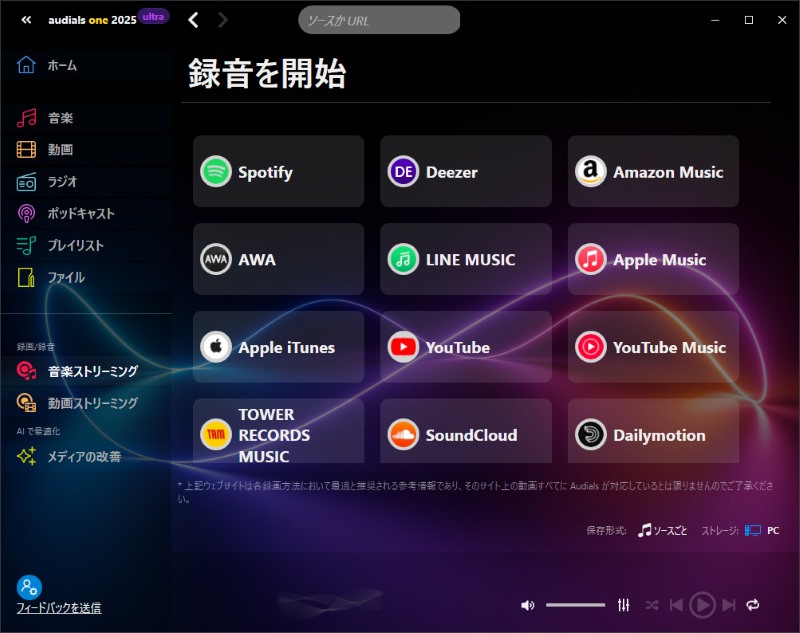
"Audials One 2025" is a powerful streaming recording software that allows you to search for and save music from numerous streaming providers and music video portals, including Amazon Music, Spotify, and Deezer. It records Amazon Music songs quickly and efficiently while maintaining high audio quality. You can also convert saved files to various formats and play them on other devices. This software also has features such as automatic tag and lyric search and addition, and the ability to detect, edit, and delete duplicate songs.
Advantages:
Cons:
"Audials One 2025" is purely a recording software, so it does not have a batch download function, nor does it have a function to edit ID3 tag information. Furthermore, it is only compatible with Windows. Mac users or those looking for a batch download function should use "StreamByte for MusicWe recommend using ".
100% safe and virus free
100% safe and virus free
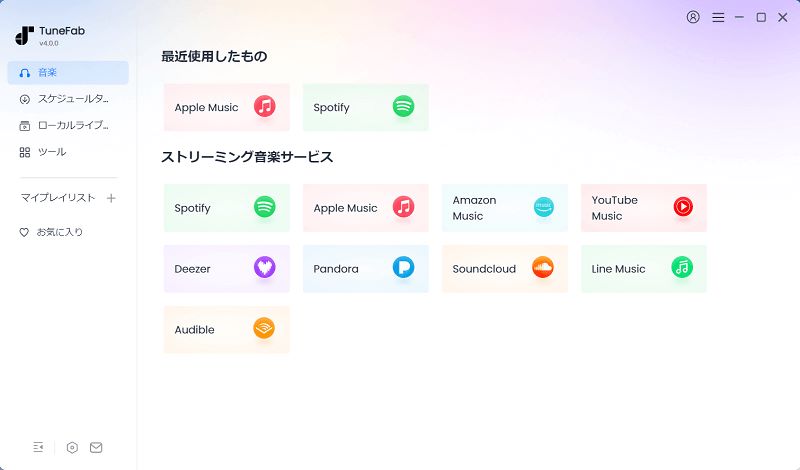
"TuneFab All-in-One Music Converter" is software that allows you to download music from various music streaming services, including Amazon Music, Spotify, Apple Music, and Deezer, to your computer. From Amazon Music, you can save music in common formats such as MP3, WAV, M4A, and FLAC, preserving the original audio quality and ID3 tag information. With an intuitive interface and simple operation, even beginners can easily save Amazon Music songs in MP3 format.
Advantages:
Cons:
When using "TuneFab All-in-One Music Converter," you may encounter problems such as "songs cutting off midway" or "unable to convert to MP3." In such cases, please use "StreamByte for MusicI recommend trying " instead.
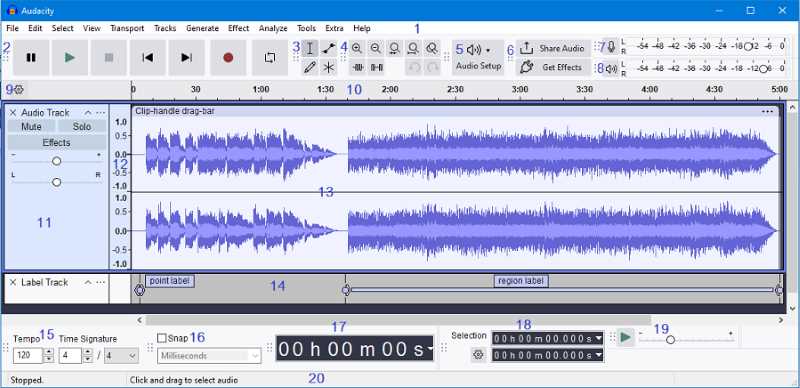
"Audacity" is a completely free audio editing software with a voice recorder function. You can record Amazon Music songs and save them in common formats such as MP3, AIFF, WAV, FLAC, OGG, and AU. As an audio editing software, it also offers a wide range of editing functions, such as trimming and noise reduction. Its lightweight operation means you can record and save Amazon Music even on relatively older operating systems.
Advantages:
Cons:
"Audacity" is a multi-functional free software that supports recording and audio editing functions, but it cannot remove DRM protection, downloads Amazon Music for recording, which takes time, and does not save ID3 tag information.StreamByte for MusicWith an Amazon Music converter like ", you can remove DRM protection from music and download it in MP3 format, preserving ID3 tag information such as artist name, album information, and art cover.
| Free Amazon Music to MP3 Converter | StreamByte for Music | NoteBurner Amazon Music Recorder | TunePat Amazon Music Converter | AudiCable Streaming Music Recorder | Sidify Amazon Music Converter | Audials One 2025 | TuneFab All-in-One Music Converter | Audacity |
| Recommendation | ★★★★★ | ★★★★ | ★★★ | ★★★ | ★★★★ | ★★★ | ★★★★ | ★★★ |
| Supported OS | Windows/Mac | Windows/Mac | Windows/Mac | Windows/Mac | Windows/Mac | Windows | Windows/Mac | Windows, Mac, Linux |
| Output Format | MP3, WAV, M4A (AAC), M4A (ALAC), FLAC, AIFF | MP3, AAC, WAV, FLAC, AIFF, ALAC | MP3, AAC, WAV, FLAC, AIFF, ALAC | MP3, AAC, WAV, FLAC, AIFF, ALAC | MP3, M4A, AAC, WAV, OGG | AAC, AIFF, AU, CAF, FLAC, M4A, MP3, WAV | MP3, AAC, WAV, FLAC, AIFF, ALAC | MP3, WAV, AIFF, AU, OGG, FLAC |
| Lossless conversion | 〇 | ✕ | ✕ | 〇 | 〇 | ✕ | 〇 | ✕ |
| Bulk conversion | 〇 | 〇 | 〇 | ✕ | 〇 | ✕ | 〇 | ✕ |
| Download speed | 35x speed | 10x speed | 10x speed | Same time as song playback | 10x speed | Same time as song playback | 35x speed | Same time as song playback |
| Built-in web player | 〇 | ✕ | 〇 | 〇 | ✕ | 〇 | 〇 | ✕ |
| Preserves ID3 tag information | 〇 | 〇 | 〇 | 〇 | 〇 | ✕ | 〇 | ✕ |
| Free Download | Free trial/Free download of the first 3 minutes of each song | The first three minutes of each song are available to download for free | Only the first minute of each song can be downloaded for free, and up to three songs at a time | Free trial available, with limitations | Only the first minute of each song can be converted for free | Free trial available, with limitations | You can only download up to 3 songs for free | Completely free |
We recommend that you refer to the comparison table of Amazon Music MP3 conversion software and use the appropriate MP3 download software according to your needs.
Those who care about high-quality music on Amazon MusicIn that case, music conversion software such as "StreamByte for Music" and "Sidify Amazon Music Converter" are excellent choices.
Those who want to download large amounts of music at once and save it quicklyWe recommend using "StreamByte for Music," which allows you to download multiple music content from Amazon Music at once at 35x faster speeds.
Want to try free MP3 downloads?For this reason, software that offers a free trial, such as "StreamByte for Music," is recommended. You can try out its advanced features for free, and although there are some limitations, you can easily experience high-quality, high-speed music storage.
Those who want to freely edit and manage Amazon Music filesTo do this, we recommend using software that supports saving ID3 tag information, such as "StreamByte for Music" or "NoteBurner Amazon Music Recorder."
Not only Amazon Music, but also Spotify and YouTube Music,Convert Apple Music songs to MP3If you want to do this, StreamByte for Music is the best option for you.
Each free MP3 converter compatible with Amazon Music has its own features and shortcomings. When considering the functionality, conversion quality, conversion efficiency, etc.,StreamByte for Music" is the best software to convert songs from Amazon Music to MP3 format for free. It allows you to convert music at high speed while maintaining high quality sound up to 320kbps.Download for Mac or WindowsIt also has the ability to batch download and edit/retain ID3 tag information. With an intuitive interface, even beginners can easily save their favorite Amazon Music songs in MP3 format.
Download "StreamByte for Music" for free now and experience the high-speed, high-quality Amazon Music MP3 conversion for yourself.
100% safe and virus free
100% safe and virus free
No, using software that allows you to download music from Amazon Music is not illegal. However, please note that sharing downloaded MP3 music with third parties, re-uploading it to social media, or selling it may be a violation of copyright law. Please always comply with copyright law and use the software for personal use only.
Songs distributed on Amazon Music (excluding purchased songs) cannot be downloaded directly to your smartphone in MP3 format. However, you can download the songs from Amazon Music directly to your smartphone using the "StreamByte for MusicBy using free MP3 conversion software such as ", you can convert Amazon Music songs to MP3 format on your computer, download them, and then freely transfer them to devices such as iPhones and Android smartphones.
To transfer Amazon Music songs downloaded in MP3 format to your Android device, connect your PC and Android device with a USB cable and copy and transfer the MP3 files directly.
To transfer downloaded Amazon Music songs to your iPhone, you can sync the MP3 files saved on your PC via iCloud Drive or iTunes and transfer them to your iPhone.
If you can't download songs from Amazon Music, there are a number of possible reasons. The main reasons include your Amazon Music Premium membership expiring, an unstable internet connection, insufficient storage space on your device, or an outdated OS version on your device. Solutions include checking your Amazon Music membership, checking your internet connection, deleting unnecessary files on your device, and updating to the latest OS version. Identify the cause and try the appropriate solution.
moreover,"StreamByte for MusicYou can also download Amazon Music songs in MP3 format using the "Amazon Music Downloader". This does not require you to install the Amazon Music app, and is available to free members.
StreamByte for Music
This is the perfect music converter for those who want to enjoy streaming music with the original sound quality. It supports multiple music platforms and allows you to save music while maintaining high sound quality.
Where are downloaded songs stored on Amazon Music?By default, music is saved to the Amazon Music folder on your device, but some devices allow you to change the location.
By the way,"StreamByte for MusicIf you use Amazon Music download software such as ", you can download songs in MP3 format, freely set the storage location, and transfer them between devices without any restrictions.
I can't play songs downloaded from Amazon Music offline.In this case, the main causes are "playback restrictions due to DRM protection," "ineligible content," and "membership contract status."
Amazon Music songs are DRM-protected and can only be played offline within the official app, not on external players or other devices. Also, with the Amazon Music Prime plan, downloads and offline playback are limited to "selective playlists" where you can play songs of your choice; other music content is not eligible for offline playback. Furthermore, if you cancel your Amazon Music paid plan (Prime or Unlimited), you will no longer be able to listen to songs you've already downloaded offline.
Above, we have introduced in detail the free software that can convert Amazon Music to MP3 and download it to your computer. Each free software has its own advantages and disadvantages, so please use this article to compare them and choose the right Amazon Music to MP3 converter for you.
among them,"StreamByte for Music"StreamByte for Music" is the best Amazon Music MP3 converter. With this software, you can download songs to your computer at high audio quality of up to 320 kbps and up to 35x faster speeds, regardless of whether you have a paid Amazon Music subscription or not. Downloaded songs are DRM-free, so you can freely play them on other players or transfer them to devices like smartphones and tablets. You can continue listening to them without restrictions even after canceling your Amazon Music subscription. "StreamByte for Music" offers a free trial, so please give it a try.
100% safe and virus free
100% safe and virus free
Born in Tokyo. Studied music culture at Tokyo Woman's Christian University, and after graduating, worked in the music distribution and download industry, gaining experience as an editor and writer. Has a deep understanding of a wide range of music genres, from rock, J-POP, classical, and metal, and is familiar with major services such as Spotify, Apple Music, and YouTube Music.
He has written over 300 articles, with a total of 6 million page views. He strives to provide accurate and easy-to-understand information so that readers can enjoy music more conveniently and safely. He currently writes articles for the StreamByte editorial department, focusing on how to use and utilize music download and conversion software.
Experts in supporting offline listening of streaming music services
Subscribe to StreamByteCopyright © 2026 StreamByte. All rights reserved.



Get the latest news, product upgrades, information, guides, discounts and more about StreamByte.
Please enter a valid email address.






 English
  Japanese
  Chinese (traditional)
  German